
Websites • Auditing & SEO • RescueMyWebsite.AI
Your website is either earning its keep or quietly costing you money. Most founders do not know which.
Free AI website audit for Toronto & GTA businesses — SEO, conversion, mobile & performance.
Most founders guess at their website. They assume traffic is low because marketing is weak. They assume conversion is stuck because the offer is off. They rarely audit the site itself. Meanwhile the site silently loses impressions on pages with missing meta descriptions, drops mobile visitors on a slow hero image, and fails to convert traffic on forms that nobody has stress-tested in a year. RescueMyWebsite.ai scores your site across more than fifty signals, tells you where it is actually losing you money, and hands you a prioritised list of fixes. No long questionnaire. No sales call required to run it. Upload your URL and get the report.
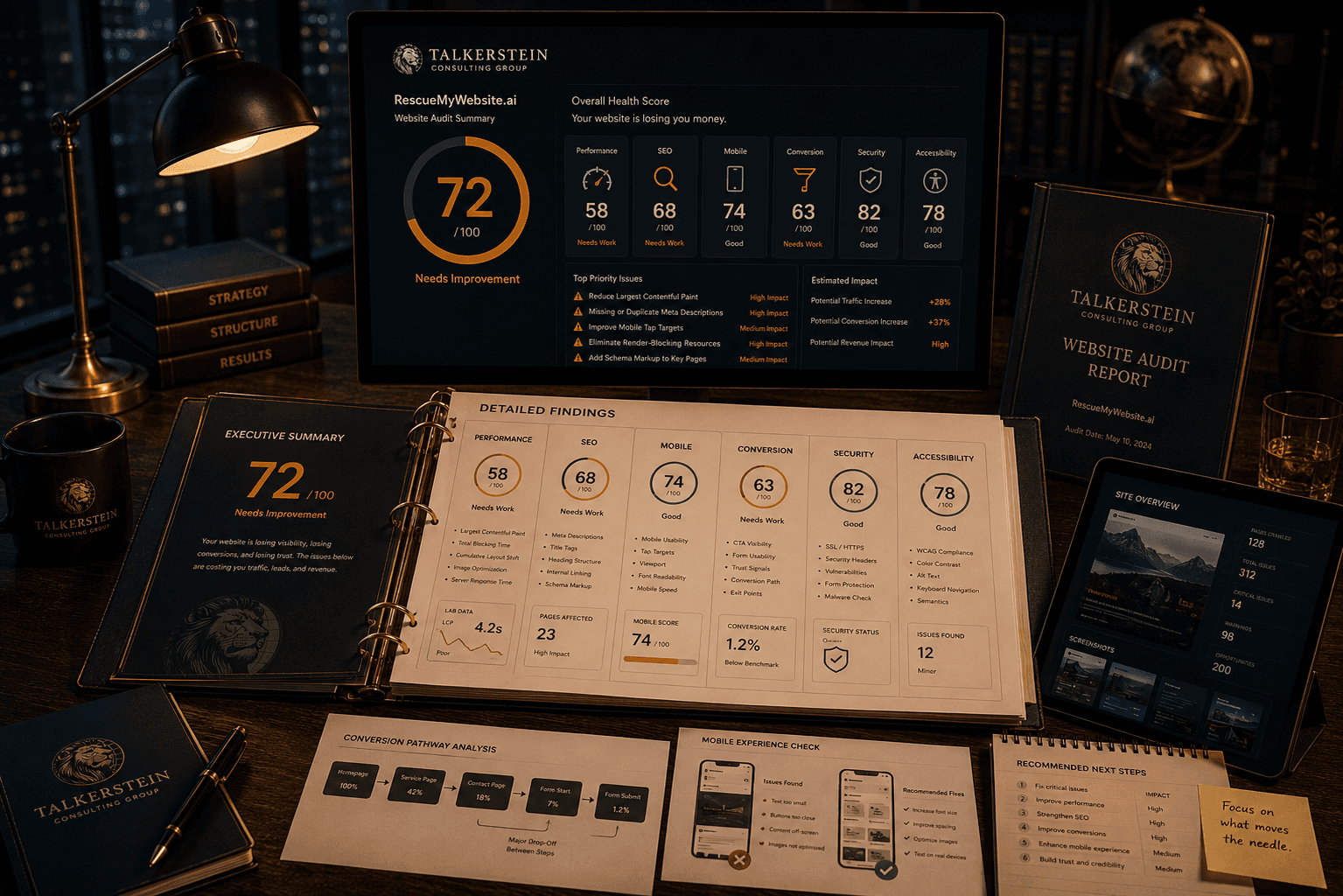
You cannot fix what you have not measured.
Every founder knows their bounce rate. Very few know why visitors bounce. Most know their conversion rate. Almost none know exactly where prospects drop. The operators who have a rough sense that the site is slow usually cannot say whether it is the hero image, the third-party scripts, the hosting, or the layout shift that is doing the damage. The cost of that vagueness is real. You cannot prioritise a fix you cannot name, and you cannot defend a redesign budget without a diagnosis.
RescueMyWebsite.ai was built to end the guessing. It crawls your live site, runs it against benchmark criteria, flags the actual failure points, and explains what each issue is likely costing the business in traffic, conversion, or credibility. You finish the audit with a report you could hand to a developer, a designer, or an internal team, and everyone would know what to do next.
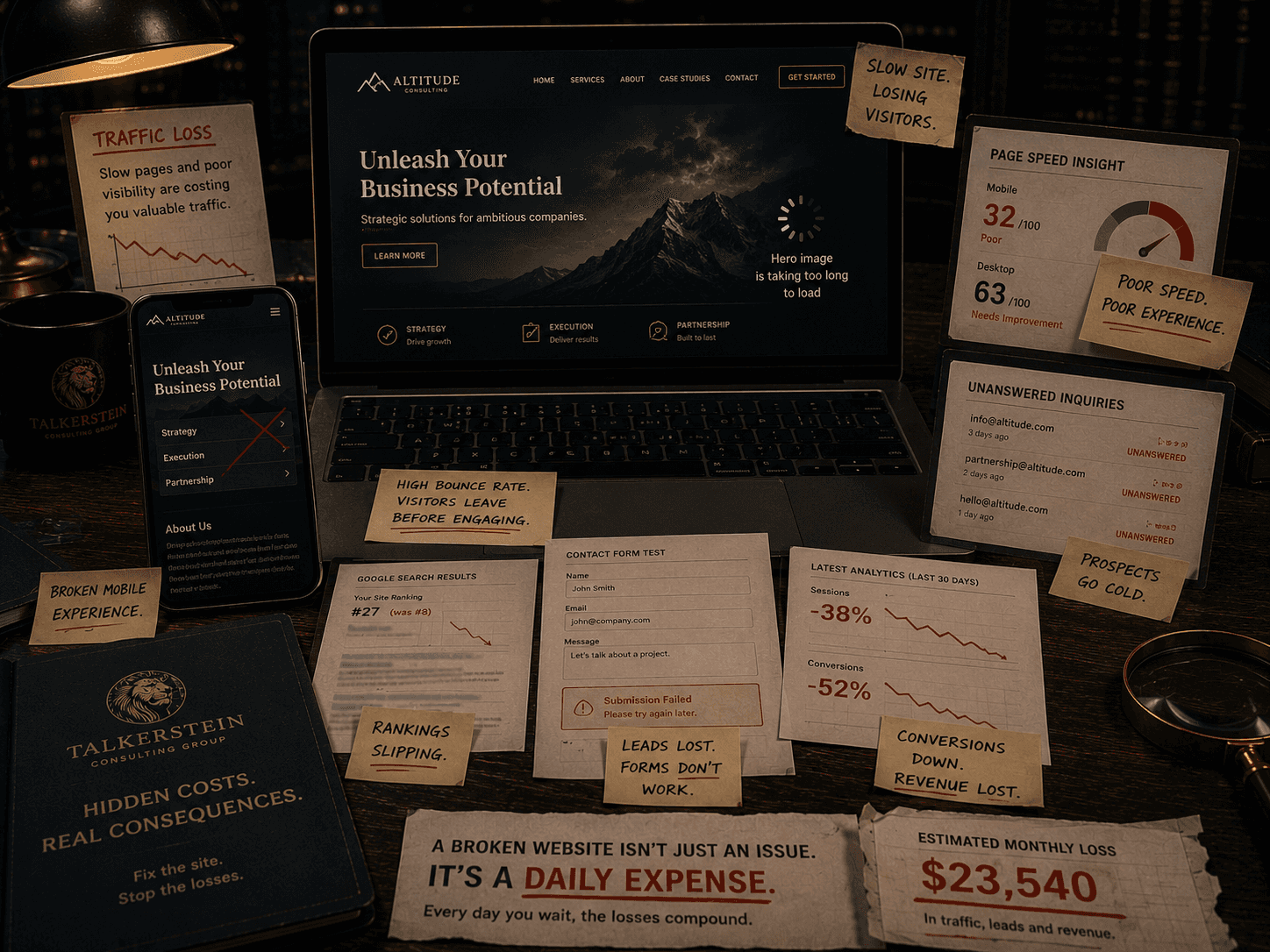
A two-point conversion drop compounds forever. The audit surfaces it.
Slow pages lose you traffic. SEO gaps keep you out of search. A shaky mobile experience loses you the majority of your visitors, since most of them are on a phone. Unclear messaging makes serious buyers leave early. Broken forms kill leads without anyone noticing. Outdated design costs you credibility with the exact buyers who could afford the engagement. None of these are dramatic. All of them compound. A site that looks fine but converts at one percent instead of three is costing you two percent of every visitor, every day, forever, and it will not announce itself on a dashboard.
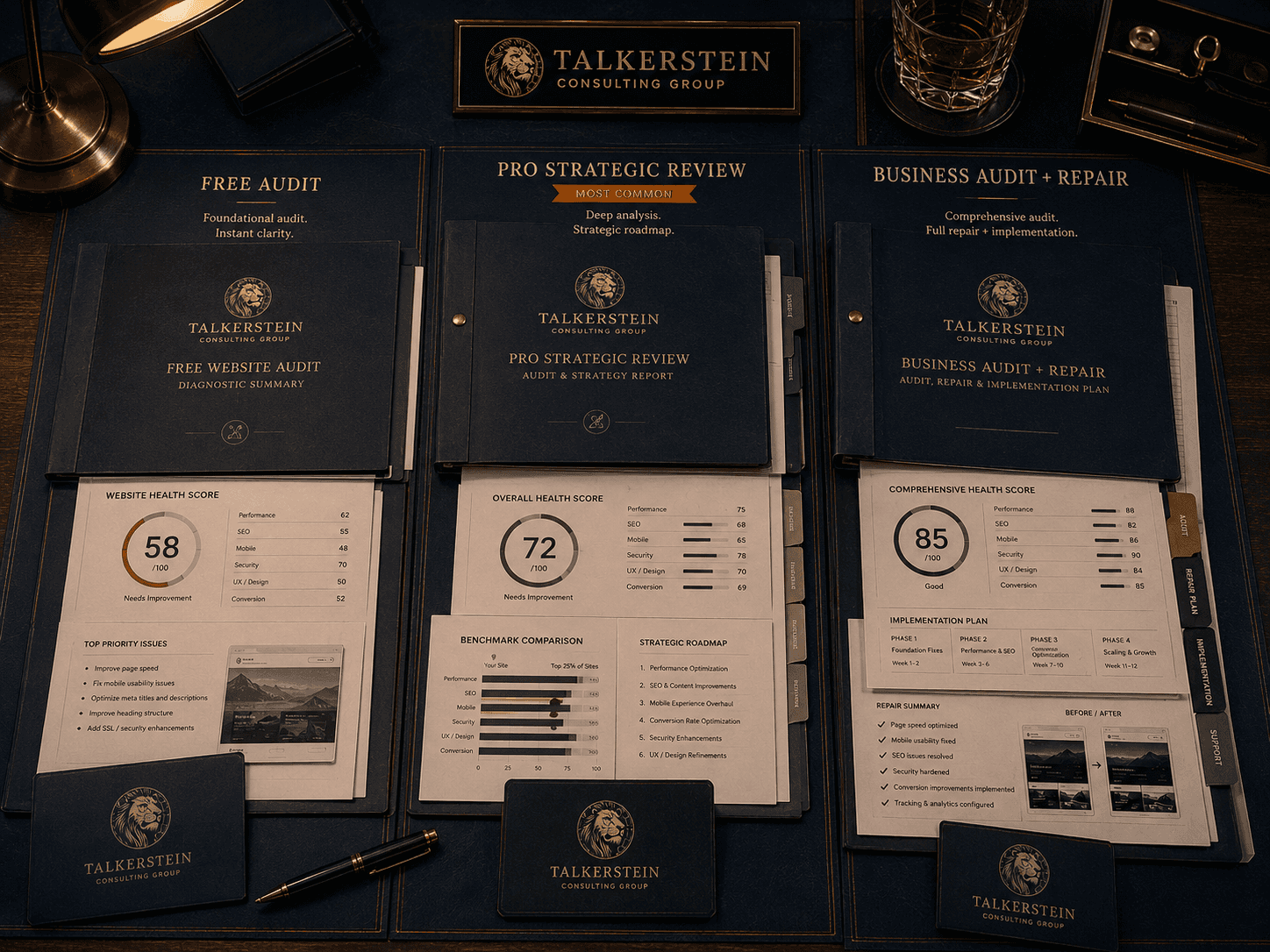
Fifty-plus signals, scored across six dimensions.
RescueMyWebsite.ai scans your site across six dimensions that together determine whether the site is doing its job. Each dimension gets a dimension-level score. The overall score tells you whether the site is working at all. The detail tells you what to fix first. Every issue is tagged by severity and by estimated commercial impact, so the list is not just a pile of tickets. It is a prioritised repair order.
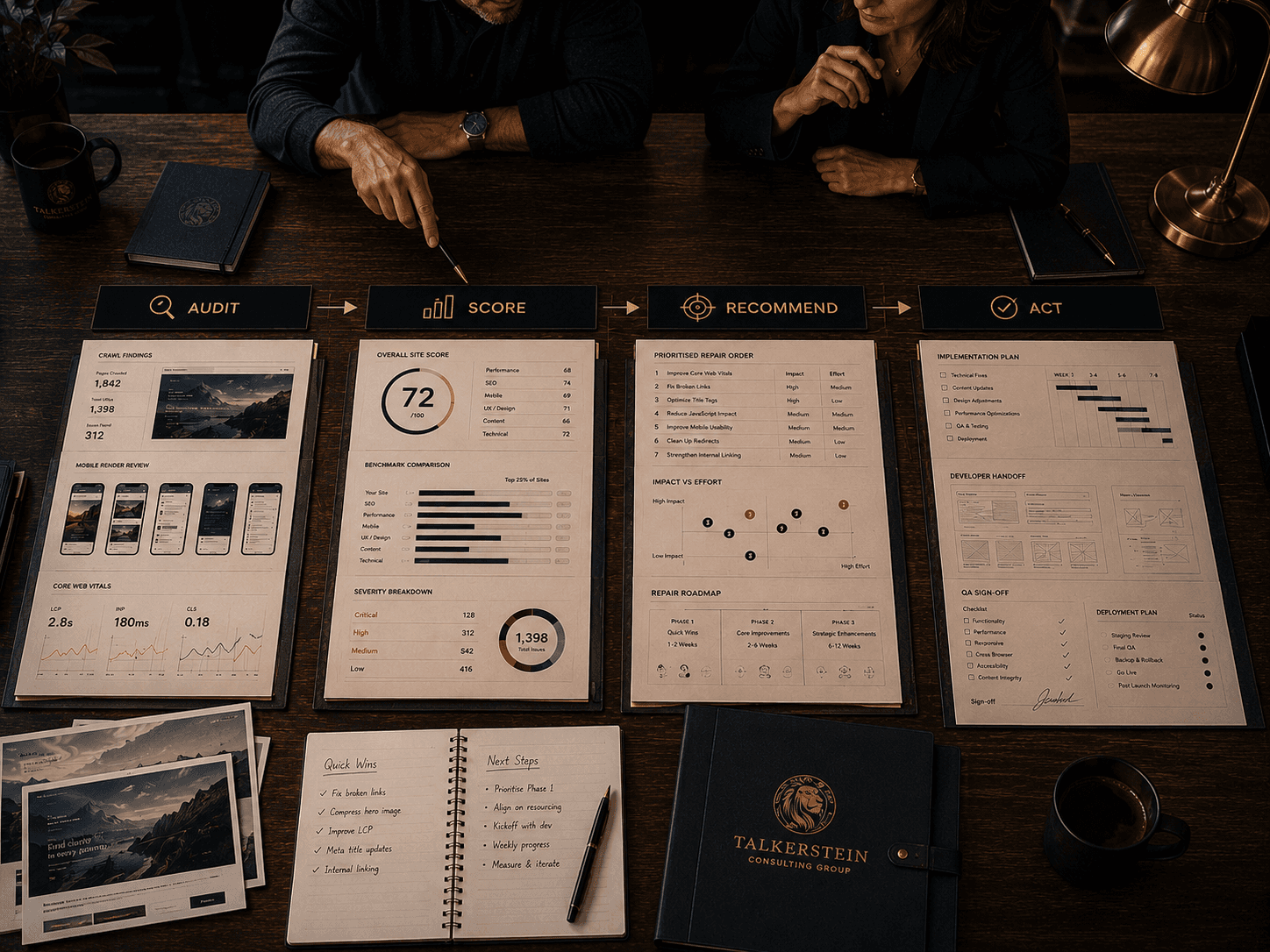
Four steps. Full report in twenty-four hours.
01 Audit
Enter your URL. The system crawls the site, requests every page in scope, and tests performance, SEO signals, conversion structure, accessibility, mobile rendering, and security posture.
02 Score
Each dimension receives a numerical score, and every issue is tagged by severity and likely commercial impact. Critical issues are surfaced first. Noise is filtered out.
03 Recommend
The AI writes the report in plain language. Every issue is paired with a specific recommended fix, an estimate of effort, and a sense of the downside if it is ignored.
04 Act
Download the PDF. Share it with your team or your developer. Use the Pro tier if you want a senior strategist to walk the report. Use Business if you want the priority pages rebuilt.
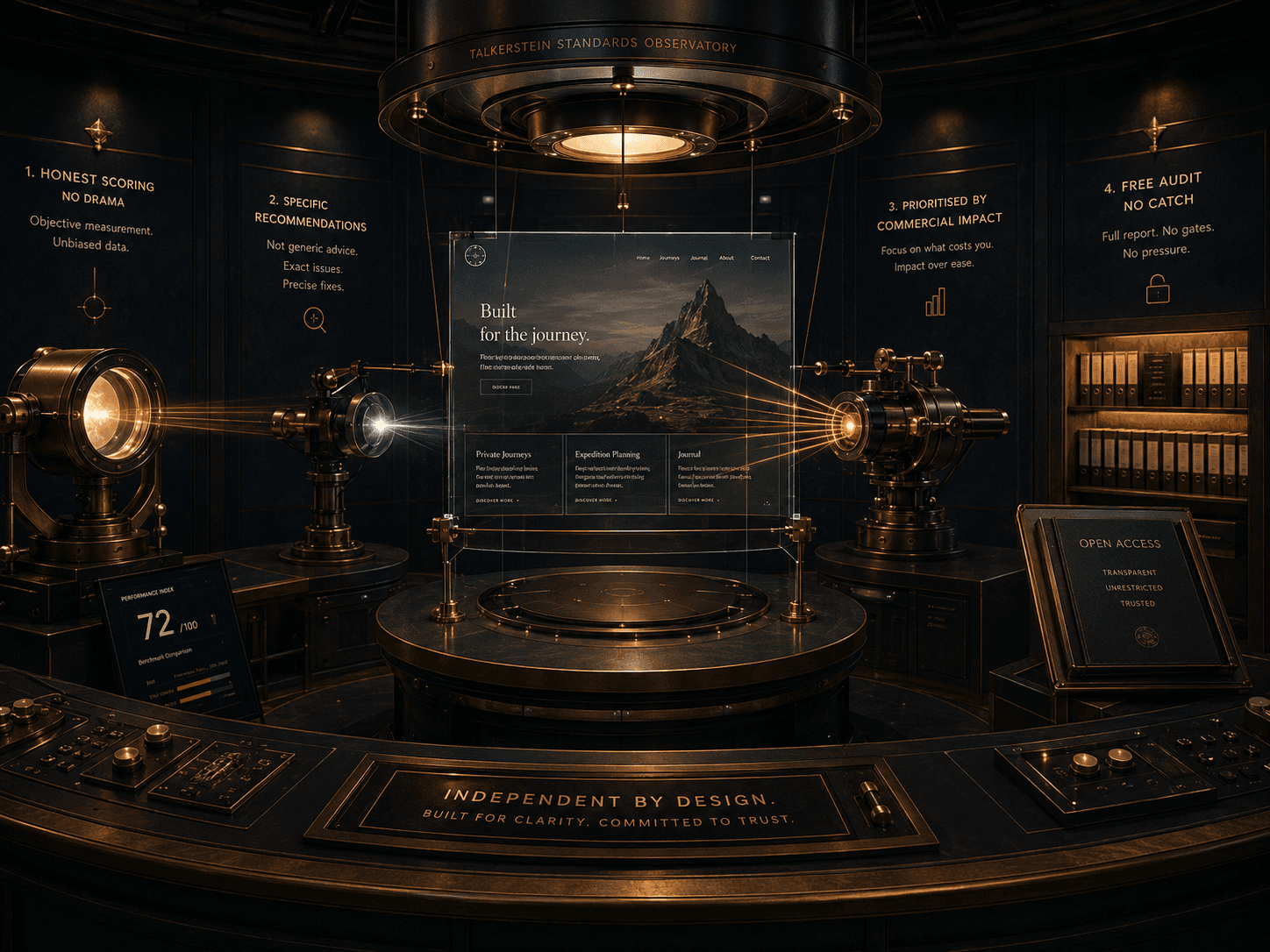
Four rules behind the tool.

You stop guessing about the site and start making decisions you can defend.
Most founders finish the audit with one of two clear outcomes. Either the site is fundamentally healthy and the commercial problem sits somewhere else in the business, which is a useful piece of truth on its own. Or the site has real, specific, measurable problems that explain the numbers, and the report turns those problems into a prioritised list the team can start on this week. Either way, the audit ends the open question of whether the site itself is the constraint.

Is this for you?
Run the audit if
Your traffic or conversion feels stuck and you cannot explain why.
You want a baseline score before investing in a redesign, a rescue, or a paid media push.
You are about to hire a developer or an agency and want a specification they cannot ignore.
You want specific, prioritised recommendations rather than generic SEO advice.
You want to share objective findings with your team, your internal marketer, or a prospective build partner.
The audit will not help if
You have not yet measured baseline traffic or conversion, and you are not planning to.
You are not willing to act on any of the findings even if the report is clear.
You want a competitor comparison rather than a diagnosis of your own site.
You are hoping for a quick fix that does not involve engaging a real development or strategy resource.
You need a custom commercial audit across product, sales, and retention. The tool audits the site, not the business.
What serious buyers ask before scoping a diagnostic.
How long does the audit take to run?
The automated crawl itself takes between five and fifteen minutes depending on site size. You get a preliminary score on screen as soon as it finishes. The full detailed report, with recommendations and commercial-impact notes, lands in your inbox within twenty-four hours.
What do you do with my data?
The crawler audits your public website only. It does not access private pages, customer data, or anything behind a login. The report is stored for your access. We do not sell the data, and we do not use your URL to fuel outbound sales pressure.
Can I share the report with my developer or agency?
Yes. The PDF is yours. Most operators hand it to their developer or a prospective agency as a written specification. It is the cleanest way to brief a partner without relying on their internal discovery process, which is not always objective.
How often should I run the audit?
Quarterly if you are actively working on the site. Annually if the site is stable. The tool is free to re-run, so most teams use it as a before-and-after check when a major change ships. Comparing two reports gives you a clean measure of whether the fixes moved the score.
What if the score comes back low?
That is what the audit is for. Low scores are common, especially on sites that have not had a real technical review in two or three years. The report prioritises fixes by impact, so the work becomes a list, not a crisis. Most sites move meaningfully within a quarter of focused work.
Is this actually AI, or is it a checklist dressed up as AI?
Both layers exist on purpose. Automated crawling finds the objective issues. An AI analysis layer interprets the findings, flags patterns across the site, and writes the recommendations in plain language that a non-technical operator can act on. The goal is clarity, not novelty.
Does it work on Shopify, WordPress, Webflow, Framer, or custom sites?
Yes. The audit works on any publicly accessible site regardless of platform. The scoring is consistent across platforms. Specific recommendations adapt to the platform when that matters, for example Shopify-specific speed notes or schema behaviour on Webflow.
What is the difference between the free audit and Pro?
The free audit delivers the full automated report. Pro adds a senior strategist who walks the report with you, reprioritises fixes against the commercial context of your business, and writes a summary of the three highest-leverage moves. Pro is for operators who want the diagnosis translated into a decision.
Can I upgrade from Free to Pro or Business later?
Yes. Start with Free. If the report makes a clear case for a strategic review or a rebuild, you can upgrade without losing any of the audit data. The initial report becomes the baseline for the engagement that follows.
What happens if the audit finds the site is mostly fine?
We tell you. A high-scoring audit is a useful diagnosis on its own, because it redirects your attention away from the site and toward the real constraint, whether that is positioning, pricing, offer, distribution, or sales process. A clean report saves money you would have spent rebuilding something that did not need rebuilding.
Is RescueMyWebsite.ai the same thing as your website rescue service?
No. RescueMyWebsite.ai is the audit layer. The website rescue service is the rebuild engagement that follows when the audit surfaces enough critical issues to justify it. Many operators run the audit, act on the free recommendations, and never engage further. That is a legitimate outcome.
Our Services





Quick Links


" height="149.2535067768008px" id="IOCTf08f5" width="1199.9520008715217px"/></svg>)